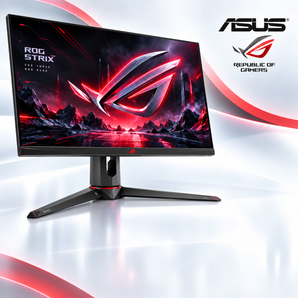
In today’s fast-moving digital landscape, the security and performance of a computer are no longer optional, they are essential. Whether upgrading a home office, outfitting a small business, or simply seeking a reliable device for personal use, the right machine can protect data, streamline workflows, and extend the lifespan of technology investments. This guide examines the critical factors to consider when selecting a computer for sale, outlines best-practice security measures, and highlights practical steps to ensure that every purchase delivers both value and peace of mind.
Understanding Core Specifications
Before diving into security features, it’s important to evaluate the hardware foundation of any computer on the market. The following components have the greatest impact on performance, reliability, and long-term security:
- Processor (CPU): Look for recent generations from Intel (i5/i7) or AMD (Ryzen 5/7) that support hardware-based security extensions such as Intel”?SGX or AMD”?SEV.
- Memory (RAM): Minimum 8″?GB for everyday tasks; 16″?GB or more is advisable for multitasking, virtualization, or creative workloads.
- Storage: Solid-state drives (SSD) provide faster boot times and reduced failure rates. Opt for NVMe models when possible, and consider devices that support hardware encryption (e.g., BitLocker-compatible drives).
- Graphics: Integrated graphics are sufficient for standard office work, while dedicated GPUs become necessary for design, gaming, or AI workloads.
- Connectivity: Ensure the presence of Wi-Fi”?6, Bluetooth”?5.0, and at least one USB-C port with Power Delivery for future-proofing.
Built-In Security Features
Modern computers often ship with a suite of security technologies that can dramatically reduce exposure to threats. When evaluating a machine for sale, verify that the following are included and properly configured:
Trusted Platform Module (TPM)
TPM 2.0 provides a hardware root of trust for encryption keys, secure boot, and platform integrity checks. Devices lacking TPM may struggle to meet compliance standards such as GDPR or HIPAA.
Secure Boot and Firmware Protection
Secure Boot ensures that only signed operating system loaders run during startup, preventing low-level malware. Firmware updates should be signed and delivered over encrypted channels.
Biometric Authentication
Fingerprint readers or Windows Hello facial recognition add an extra layer of user verification, reducing reliance on passwords.
Pre-Installed Security Software
Many manufacturers bundle reputable anti-malware solutions, but it’s wise to confirm that they receive regular definition updates. For a deeper dive into configuring these tools, Discover expert strategies here.
Choosing a Secure Operating System
The operating system (OS) plays a pivotal role in overall device security. Below are key considerations for the most common platforms:
- Windows 11: Offers built-in ransomware protection (Controlled Folder Access) and integration with Microsoft Defender ATP. Verify that the device supports the latest cumulative updates.
- macOS: Features Gatekeeper, XProtect, and seamless integration with iCloud Keychain for credential management.
- Linux distributions: Provide granular control over services and updates. Distros such as Ubuntu LTS or Fedora Silverblue are well-suited for security-focused environments.
For guidance on selecting the OS that best aligns with specific workflow requirements, Learn about our tailored solutions.
Post-Purchase Hardening Checklist
Acquiring a secure computer is only the first step; proper configuration is essential to maintain that security over time. Follow this concise checklist after the initial setup:
- Enable full-disk encryption (BitLocker, FileVault, or LUKS).
- Activate multi-factor authentication for all user accounts.
- Install the latest OS patches and driver updates.
- Configure a reputable endpoint protection suite.
- Set up regular automated backups to an offline or cloud location.
- Disable unnecessary services and ports (e.g., Remote Desktop if not needed).
- Create a standard user account for daily activities; reserve administrator rights for system changes only.
Detailed step-by-step instructions for each item can be found in the Explore advanced guides and tips section.
Evaluating Vendor Reputation and Support
Even the most technically sound device can become a liability if the seller does not provide reliable after-sales support. When reviewing computers for sale, consider the following:
- Warranty length: Minimum one-year coverage is standard; extended warranties add confidence for mission-critical deployments.
- Return policy: Look for a clear, no-question-asked return window (typically 30 days).
- Technical assistance: Access to live chat, phone support, or a comprehensive knowledge base is valuable for troubleshooting.
- Customer reviews: Analyze feedback for patterns related to hardware failures, firmware updates, or security concerns.
For a curated list of reputable sellers and additional purchasing advice, Find out more about this approach.
Future-Proofing Your Investment
Technology evolves rapidly; selecting a computer that can adapt to upcoming standards helps protect the initial investment. Keep these forward-looking factors in mind:
- Modular designs that allow RAM or storage upgrades.
- Compatibility with emerging security standards (e.g., FIDO2 authentication).
- Support for virtualization and containerization platforms such as Docker or Hyper-V.
- Energy efficiency certifications (ENERGY STAR, EPEAT) that may reduce operating costs.
Conclusion
Choosing a computer for sale today requires a balanced assessment of performance specs, built-in security features, operating system robustness, and vendor reliability. By following the outlined criteria, implementing the post-purchase hardening checklist, and staying informed through reputable resources, buyers can secure a device that not only meets current needs but also remains resilient against future threats. For continued guidance on protecting technology assets, revisit the resources at https://techsel.shop/ and stay abreast of evolving best practices.